Does Closing Background Apps Really Save Your Phone's Battery? The Answer Will Annoy Habitual Swipers
It is one of the most deeply ingrained rituals of the smartphone era, performed billions of times a day without a second thought. You finish reading the news, you switch to your messages, and then — almost without thinking — you open the app switcher and swipe, swipe, swipe, dismissing every “open” app like a blackjack dealer clearing the table. The feeling is one of cleanliness, of control. All those apps are closed. Your phone can rest now. Your battery, surely, is being spared.
It is a completely understandable instinct. It comes from the same logic that governs desktop computers: the more programs you have open, the slower the machine, the harder it works, the more power it burns. Anyone who watched a Windows laptop wheeze under the weight of forty open tabs has internalized this rule. And so we apply it to our phones, diligently, day after day.
The trouble is that a phone is not a laptop. The operating systems that run your iPhone or Android device were designed from the ground up around a very different bargain: you never have to think about app management at all. The engineers who built them have said so, repeatedly, for the better part of a decade. And yet the habit persists — not just among casual users but among self-described tech enthusiasts, the very people who pride themselves on knowing how their devices work.
So let us settle it with the evidence: does closing background apps save your phone’s battery? The short answer is no. The slightly longer answer is that it can actually cost you battery life. And the engineers responsible for the two operating systems that power virtually every smartphone on Earth have said so on the record.
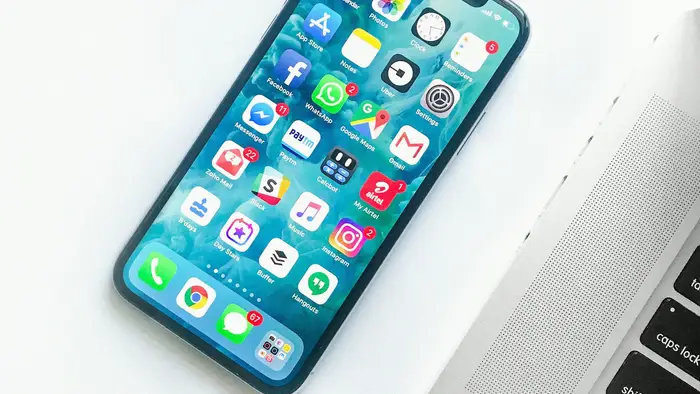
The Claim
The claim is simple, mechanical, and repeated in comment sections, chain messages, and well-meaning tech advice columns around the world: closing background apps on your phone saves battery life. The versions vary in confidence. Some say leaving apps “open” in the app switcher drains the battery. Some say it slows the phone down. The bolder versions insist that habitual app-closing is essential digital hygiene, the phone equivalent of turning off the lights when you leave a room.
The supposed mechanism is equally simple. Apps sitting in the background, the story goes, are still running — still consuming processor cycles, still holding RAM hostage, still sipping electricity. Swipe them away and you free those resources. The phone idles more quietly, the battery lasts longer. It feels like common sense. It is also, according to everyone who actually builds smartphone operating systems, wrong.
To evaluate the claim honestly, we need to understand what actually happens when you press the home button, what “open” apps are really doing while they sit in the switcher, and what a force-quit actually costs the device. The answers turn the folk wisdom inside out.
What Really Happens When You Leave an App
Here is the central misconception the entire claim rests on: the idea that an app visible in your app switcher is an app that is running. On a modern phone, that is simply not what the app switcher shows. The switcher is a list of your recently used apps — a convenience for getting back to where you were — not a roster of active processes. Presence in the switcher tells you almost nothing about what an app is doing.
Take iOS, the operating system on every iPhone. When you leave an app — pressing the home indicator, swiping up, switching to another app — it does not keep running in any meaningful sense. It moves through a tightly controlled sequence of states: active, then inactive, then background, then suspended. In the suspended state, the app is effectively frozen in place. It uses virtually no processor time, which means it uses virtually no battery. It stays parked in memory so that when you return to it, the phone can unfreeze it instantly rather than rebuilding it from nothing. Apple describes this directly in its own support documentation, which users rarely read: “The apps aren’t open, but they’re in standby mode to help you navigate and multitask.”
That standby state is the whole trick. Freezing an app and keeping its snapshot in memory is almost free, energy-wise. Thawing it later is almost free too. The phone’s memory is designed to hold these frozen apps at essentially zero ongoing cost, and the operating system is ruthlessly good at evicting them — quietly, automatically — whenever the memory is needed for something else. You never see any of this happen. You never have to.
Apple’s official guidance on the matter is blunt, and it has been stable for years: “You should force an app to close only if it’s unresponsive.” Not to save battery. Not to speed things up. Only when something is actually broken.
Android works on the same principle with different plumbing. When you leave an app on an Android phone, it is moved into a cached state: it occupies memory but is not actively consuming processing power. The system’s memory manager keeps these cached apps around because keeping them is cheaper than not keeping them, and it clears them automatically whenever more RAM is needed. The operating system, in other words, already does the job that habitual swipers believe they are doing for it — and it does it with far more information than any human could have, knowing exactly which apps you use, when you use them, and how much memory the device can spare.
The pattern is identical on both platforms: the app switcher is not a task manager that needs housekeeping. It is a history list. Leaving it alone is not laziness. It is the intended mode of operation.
The Engineers Said It Themselves — Repeatedly
This is not a matter of anonymous tips or forum folklore. The people who build iOS and Android have addressed this exact question in public, and their answers have been remarkably consistent across the years.
Consider Apple first. In 2016, a customer emailed Apple chief executive Tim Cook with a straightforward question: do you quit your iOS multitasking apps frequently, and is it necessary to help with battery life? Cook forwarded the question to Craig Federighi, Apple’s senior vice president of software engineering — the man ultimately responsible for how iOS manages its apps. Federighi’s reply, verified by the publication that reported it, was as terse as an executive answer gets: “No and no.” He does not quit his apps. And no, quitting them is not necessary to preserve battery life.
A few years earlier, back in 2010, when the iPhone first gained multitasking, Steve Jobs received a similar question from a user. His answer set the tone for everything that followed: “Just use [iOS multitasking] as designed, and you’ll be happy. No need to ever quit apps.” The design of iOS multitasking was never a compromise or a placeholder; the freezing of background apps is the battery-saving strategy.
Google’s side of the story rhymes perfectly. In 2016, technology reporter Mike Murphy asked Hiroshi Lockheimer — then Google’s senior vice president of Android, Chrome OS, and Chrome — whether closing apps on Android helped battery life. Lockheimer answered publicly that Android is already optimized for managing what is running, and that interfering with that process would only create more “thrash,” the term engineers use for the wasteful shuttling of data between physical memory and storage. His recommendation was plain: “in general better to let the system do its job; it was designed to manage running apps so you don’t have to.” Yes, he added, it is better to just leave everything open.
These are not carefully hedged marketing statements. They are two of the most senior software executives in the industry, from the two companies that make the only mobile operating systems that matter, independently arriving at the same conclusion across a span of years: leave the apps alone. The system handles it. Your swiping is, at best, redundant.

Why Force-Quitting Can Actually Cost You Battery
If closing apps merely did nothing, the myth would be harmless — a bit of wasted effort, a private superstition. The more uncomfortable finding is that habitual force-quitting can actively work against you, consuming more battery than the habit is supposed to save.
The reason is the asymmetry between freezing and launching. When an app is suspended in memory, reopening it is nearly instantaneous: the system simply unfreezes the snapshot it was already holding. That costs a negligible amount of energy. But when you force-quit an app, you destroy that snapshot entirely. The next time you open it, the phone has to perform what engineers call a cold launch — loading the app’s code from storage into memory, rebuilding its interface, re-fetching its data, restarting its processes from scratch. A cold launch is one of the most expensive things a phone routinely does. It spins up the processor, reads heavily from flash storage, and often hits the network to refresh content.
This is why the habit backfires in exactly the way its practitioners do not expect. The apps people close most obsessively are usually the apps they use most frequently — messages, email, the browser, social feeds, maps. Every swipe-away followed by a reopening converts a nearly free resume into a costly relaunch. Do it dozens of times a day and the cumulative cost is real. As analysts who have tested the claim put it, the cycle of forced closure and cold relaunch consumes significantly more battery than simply letting the operating system do its job.
Independent reviewers have put numbers on this. In one controlled comparison by Macworld, two identical iPhone 13 handsets were run through the same usage pattern — social media, email, video streaming, web browsing — over 48 hours. On one phone, background apps were routinely force-closed; on the other, iOS was left to manage them naturally. The phone left alone drained about 2.1 percent of battery per hour; the force-closed phone drained about 2.3 percent per hour. App launch times were also slower on the force-closing phone — 1.8 seconds on average versus 1.2 seconds — and it logged more than twice as many system lag events. The differences are not enormous, but they point in exactly the wrong direction for the claim: the “optimized” phone performed worse on every metric.
The psychology of the myth is worth noting, because it explains why the numbers never seem to convince anyone. When you force-quit an app and reopen it, the fresh launch feels purposeful — the splash screen, the loading indicator, the sense that you have taken charge. When you resume a suspended app, nothing dramatic happens; it just appears. The first experience feels like work being done. The second feels like nothing. Our brains are wired to interpret visible effort as effectiveness, even when the invisible process is the efficient one.
There is also a second, subtler way that compulsive closing can cost you. Both operating systems maintain sophisticated models of your behavior — which apps you open, when, in what sequence — and use those models to pre-warm apps, schedule background refreshes, and manage memory intelligently. Constantly wiping the board interferes with those predictions. In the words of one Android expert, messing with the system’s management process just causes more “thrash”: the device ends up working harder to reconstruct the very state you kept destroying.
The Desktop Roots of a Mobile Myth
Why does this particular belief refuse to die? Part of the answer is generational. A large share of today’s smartphone users learned computing on desktop PCs, where the old rule genuinely applied. On a traditional computer, an open program holds memory and often keeps threads running in the background; twenty open windows could genuinely slow a machine. The mental model — open equals running equals draining — was correct for the machines we grew up with, and it was reinforced by every IT department’s advice to close what you are not using.
But modern mobile operating systems were built precisely to make that model obsolete. iOS and Android were designed for devices with small batteries and limited memory, where every milliwatt matters. Their entire app lifecycle — suspend, freeze, cache, auto-evict — is a battery-saving architecture. It is not an accident that you cannot easily “close” anything; it is the design. Judging a phone by desktop rules is like judging a submarine by the standards of a sailboat: the environment is different, and the machinery evolved for it.
Another part of the answer is that the claim contains a grain of plausibility that keeps it alive. Apps can misbehave. A buggy app can get stuck in a loop, a navigation app can keep the GPS radio hot, a music app can keep playing after you thought you stopped it. When something like that happens, force-quitting genuinely helps — the app is the exception that proves the rule. People who have once fixed a misbehaving app by closing it generalize from that experience to every app, every time. The advice is true in the specific case and false in the general one, and the specific case is memorable enough to sustain the general belief.
The myth also gets a boost from the marketplace of bad advice. Battery-saver apps and phone-cleaner utilities — many of them of dubious quality, some of them outright scams — have a commercial interest in convincing you that your phone needs constant manual maintenance. If closing apps is unnecessary, there is nothing to sell you. The folk wisdom persists partly because somebody profits from it.
What Actually Drains Your Battery
If background apps are not the enemy, what is? The real culprits are well documented, and none of them are fixed by swiping. Knowing them is far more useful than any app-closing ritual.
The single largest consumer of battery in any smartphone is the display. Screen brightness dominates the power budget; a bright screen on a large phone can draw more power than everything else in the device combined. Turning down the brightness — or letting auto-brightness do its job — saves more energy than a week of app-swiping ever could.
Next comes the radio. A weak cellular signal forces the phone’s cellular radio to amplify its transmission power to stay connected, and that amplification can be dramatic — a phone struggling to hold a signal in a basement or a rural dead zone burns through its battery far faster than one sitting comfortably near a tower. This is one reason phones die quickly during travel or in buildings with poor reception, and it has nothing to do with how many apps are in the switcher.
Location services are another genuine drain, particularly for apps granted “Always” access. An app that is allowed to track your position continuously can wake the GPS hardware — one of the hungriest components in the phone — on a regular schedule. The fix is in Settings, not in the app switcher: restrict location access to “While Using the App” for everything that does not truly need it.
Then there is the cluster of background behaviors that are real, but are governed by settings rather than by the switcher: Background App Refresh on iOS, background data and auto-sync on Android, push email with aggressive fetch intervals, widgets and live activities that refresh every few minutes. These are the cases where an app is genuinely doing work while you are not looking. The remedy is to tame the permissions — turn off background refresh for apps that do not need it, lengthen fetch intervals, remove widgets you never glance at. Closing the app in the switcher does not change these behaviors, because the behaviors are controlled by system services, not by whether the app’s card is visible.
Finally, for the moments when the battery is genuinely low, both platforms offer a purpose-built escape hatch: Low Power Mode on iOS and Battery Saver on Android. These modes throttle the processor, reduce background activity, dim the display, and pause non-essential refreshes — a coordinated, system-wide response that saves far more power than any manual routine. If you are reaching for the app switcher at 10 percent battery, you are reaching for the wrong tool; the right tool is one tap away in Settings or the quick settings panel.
Checking where your power actually goes is easy, and it tends to be an eye-opening exercise for habitual swipers. Both iOS and Android offer a per-app battery breakdown — Settings, then Battery — that shows exactly which apps consumed power over the last 24 hours or 10 days, split between on-screen and background use. People who look at this screen are usually surprised twice: first by how small the background slice is for most apps, and second by how consistently the display and the radio dominate the totals.
The Legitimate Exceptions: When You Should Close an App
A verdict of False does not mean force-quitting is never useful. It means the general claim — that closing background apps saves battery — is false. There are specific, legitimate reasons to close an app, and they are worth listing, because they are the cases where the folk wisdom accidentally gets it right.
Close an app when it is misbehaving. If an app has frozen, is crashing on launch, is displaying stale or corrupted data, or is chewing through data in a way that looks wrong, force-quitting is the correct first step in troubleshooting. This is exactly the scenario Apple’s own support page describes: close it when it is unresponsive. Think of it as the phone equivalent of restarting a misbehaving program — a repair action, not a maintenance routine.
Close an app when you know it is actively doing something you want stopped. A navigation app still guiding you after you arrived, a voice recorder still capturing audio, a video call running in the background, a music or podcast app still playing — these are apps in genuinely active states, and quitting them stops the activity. But note what distinguishes these cases: you know the app is doing work. You are not guessing based on its presence in the switcher.
Close an app when you want to reset its session — to log out of a service, to force it to re-authenticate, or to clear a stuck state. Again, this is a targeted intervention, not a habit.
The pattern across all the exceptions is that they are responses to observed behavior, not preemptive rituals. The healthy rule is simple: manage apps the way you manage a refrigerator. You open it when you need something; you do not stand in front of it reorganizing the shelves every hour to keep it cold. The thermostat handles the temperature. The operating system handles the apps.
Why the Habit Persists Anyway
It is worth asking, after all this evidence, why the swiping continues — because understanding the persistence of the myth is part of debunking it. Three forces keep it alive.
The first is the illusion of control. Modern phones are black boxes; most of what they do is invisible. The app switcher is one of the few places where a user can see something that looks like the phone’s inner workings and do something to it. Swiping apps away satisfies a deep urge to tidy, to intervene, to be the one in charge. Giving up the habit feels like surrendering agency over an expensive device — even though the agency was always illusory.
The second is social proof. The habit is visible. You see friends doing it, you see strangers doing it on the train, you see it in movies where a character dramatically closes everything before a big scene. Nobody sees the alternative — leaving the switcher untouched — because the alternative is invisible by definition. A visible habit practiced by millions feels like received wisdom, and received wisdom is hard to dislodge with engineering explainers.
The third is the occasional apparent confirmation. Sometimes a phone really is hot and draining, and sometimes the culprit is a genuinely misbehaving app, and sometimes closing that app really does fix it. Those moments are vivid and memorable. The thousands of uneventful days when the switcher sat full and the battery behaved normally are not memorable at all. Human memory keeps the hits and discards the misses, and the myth feeds on the hits.
None of these forces changes the engineering. But they explain why Craig Federighi’s “No and no,” Hiroshi Lockheimer’s public advice, and a decade of official documentation have not killed the practice. Facts are competing with feelings, and feelings have a home-field advantage.

The Verdict
The claim that closing background apps saves your phone’s battery is False.
The evidence converges from every direction. Both iOS and Android are designed so that apps you are not using are frozen or cached — held in memory at essentially zero ongoing energy cost — and the operating systems evict them automatically whenever resources are needed. Apple’s official support documentation states that apps in the switcher are in standby mode and that you should force an app to close only when it is unresponsive. Craig Federighi, Apple’s head of software, answered a direct question about whether quitting apps helps battery life with a flat “No and no.” Hiroshi Lockheimer, Google’s senior Android executive, publicly advised users to let the system manage running apps, warning that interfering only creates more wasteful “thrash.” And controlled testing has shown that phones whose apps are left alone drain slightly less battery and launch apps faster than phones whose apps are routinely force-closed — because every force-quit converts a nearly free resume into a costly cold launch.
There is a narrow band of truth adjacent to the claim: force-quitting a frozen or misbehaving app is legitimate troubleshooting, and stopping an app that is actively playing audio, navigating, or recording will save power. But those are exceptions, not the rule — and they are responses to apps you know are doing work, not a ritual applied to every card in the switcher.
If you want your battery to last longer, the levers that actually move the needle are unglamorous and well documented: turn down the screen brightness, tame location permissions, rein in background refresh for greedy apps, and use Low Power Mode when it counts. What you should not do — according to the engineers who built the device in your hand — is keep swiping. They designed the phone to handle that part. Let it.
So the next time your thumb drifts toward the app switcher out of habit, consider leaving it alone. The most battery-efficient thing you can do with your background apps is the thing that feels like doing nothing at all — because on a modern phone, doing nothing is exactly what the system was built to do best.